
-
Created by
 Roland Roesch, last updated by Jim Tricarico on Oct 16, 2026
7 minute read
Roland Roesch, last updated by Jim Tricarico on Oct 16, 2026
7 minute read
Below you can find a history of recent module versions as well as the latest one. There is also a change log with information of the current version.
V 1.0.49
DEPLOYED
This version includes some visual optimizations of V1.0.48
V 1.0.48
DEPLOYED
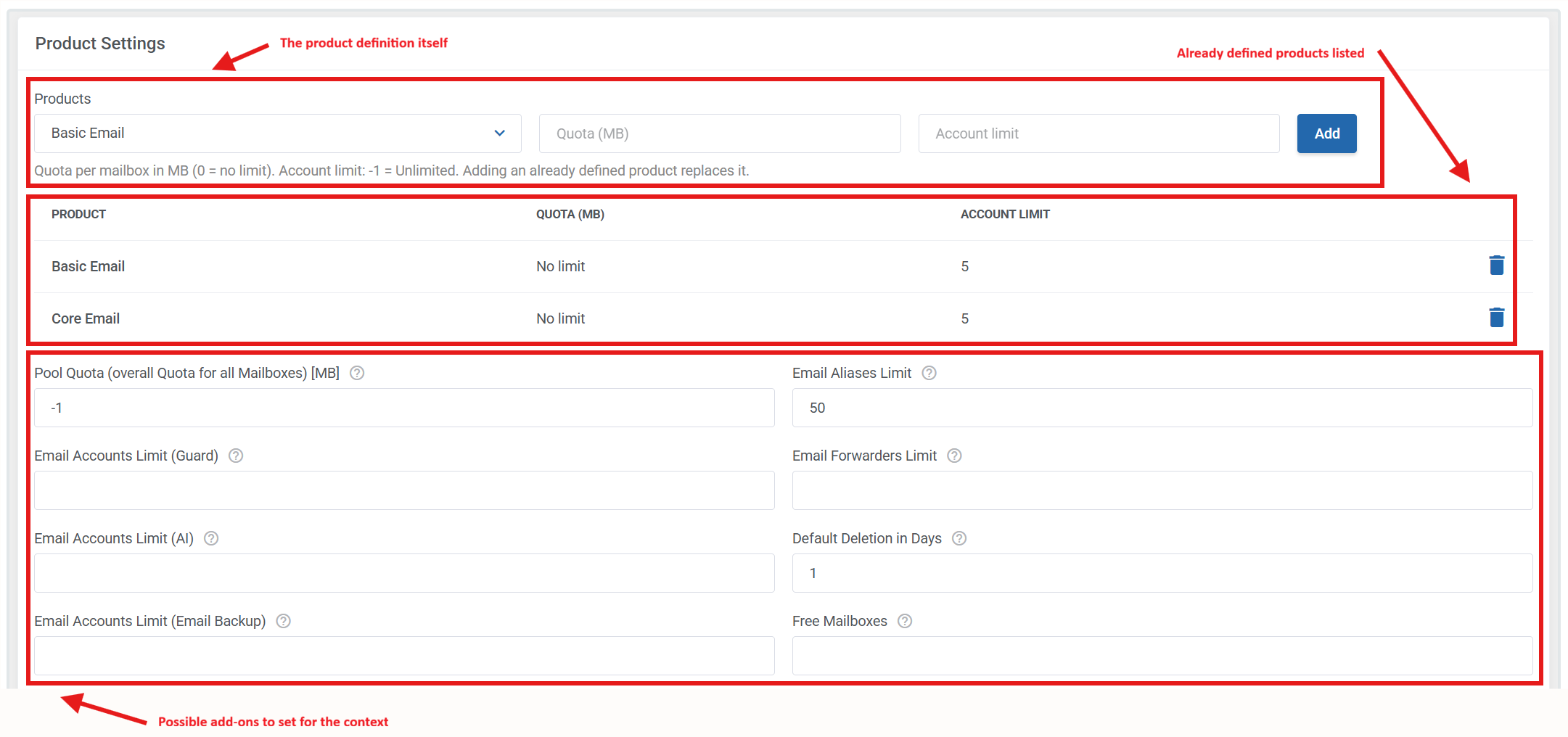
The Module Settings tab in a product definition has been redesigned. You can now define a product's quota and the number of mailboxes it includes by adding items from the definition to a fixed list.
This makes it possible to create multiple product packages, particularly for the former Basic, Core, and Premium dropdown options. You can also enable the Email Backup add-on for any package you configure.
Because there is no built-in validation when combining a product with add-ons such as Backup, Guard, or AI, administrators are responsible for ensuring that the combined definition aligns with the business model they intend to sell.
This is a major change. Although all previously defined products should remain compatible, they must be tested in a dedicated staging environment. If any existing products are missing or do not function correctly after the change, please notify OX. Please also test any configurable options you have created or configured, if applicable.
V 1.0.47
DEPLOYED
This version allows defining an "Unlimited Pool quota".
Please keep in mind: The pool quota is the overall allowed quota for all mailbox quotas in summary.
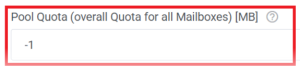
In case you have set the pool quota to "Unlimited" -1 then it is no longer shown in the client area.
V 1.0.46
DEPLOYED
As of this version, it's now possible to set up different quota values for products, even if they are in the same setup.
In the module setup, there are now new fields to define the quota for a product:
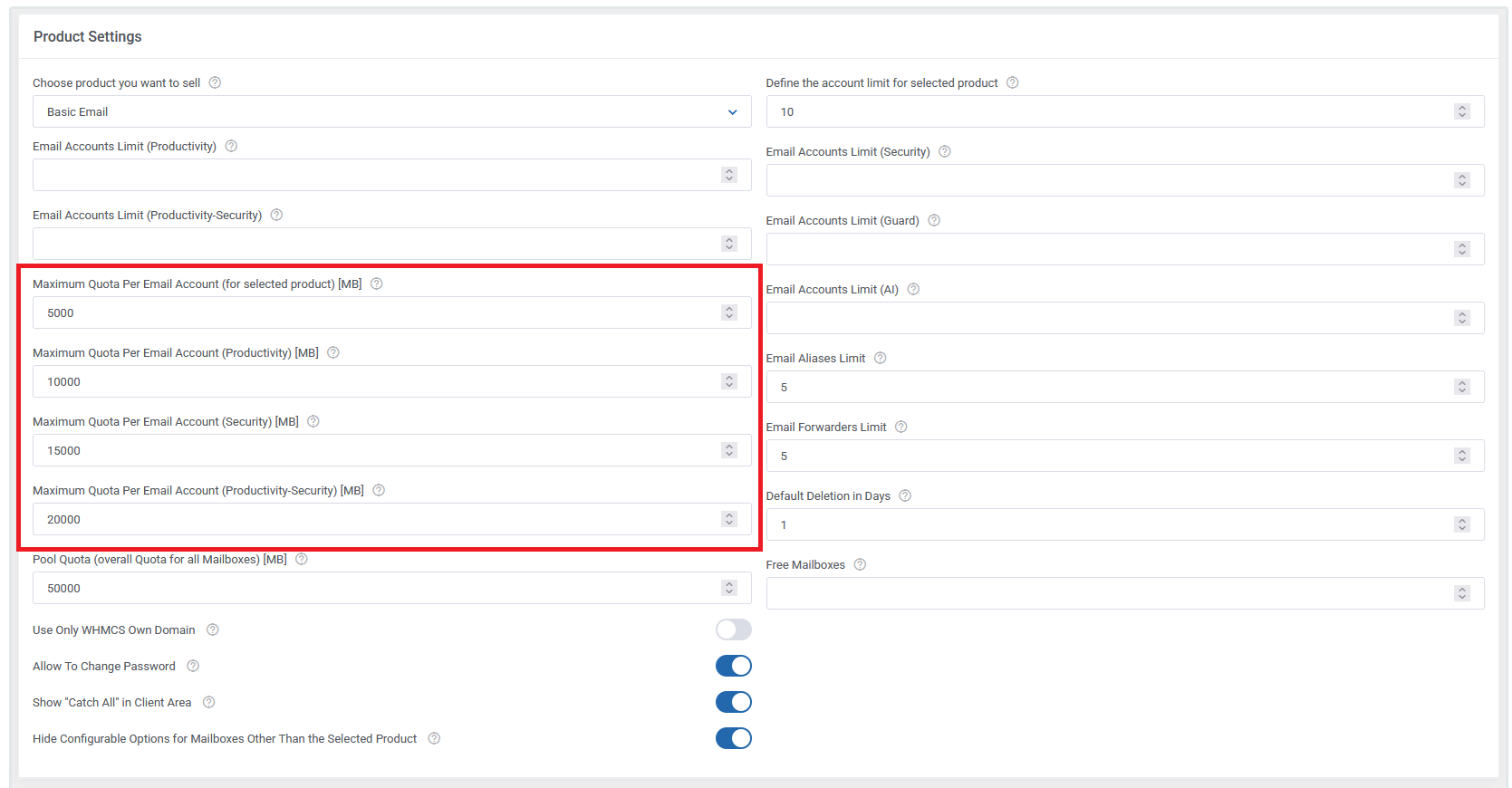
Also, a new checkbox named "Hide Configurable Options for Mailboxes Other Than the Selected Product" has been added, as shown in the example screenshot below:
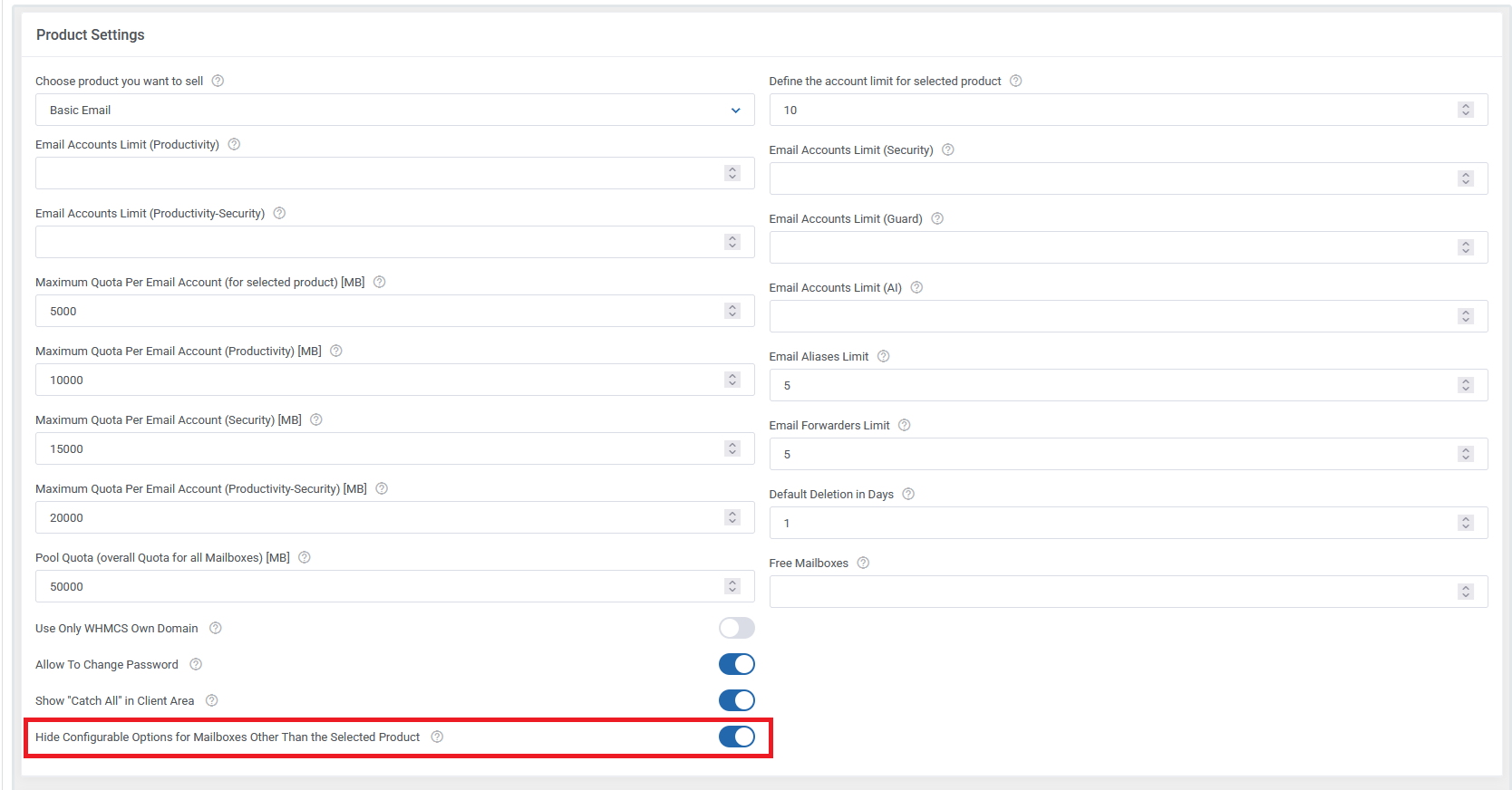
When this checkbox is selected, the Configurable Options (acc_limit_productivity, acc_limit_secure, and acc_limit_productivity_secure) will be hidden during the product ordering process. However, after the product has been ordered, it will still be possible to update the configurable options and purchase the ability to create mailboxes of other types.
V 1.0.45
DEPLOYED
In this version, the "Email Forwarder" function got optimized. It is now possible to add up to 10 internal and/or 1 external address as recipients for a forward address.
The recipients field has been changed to a text area field; all recipients must be entered as comma-separated.
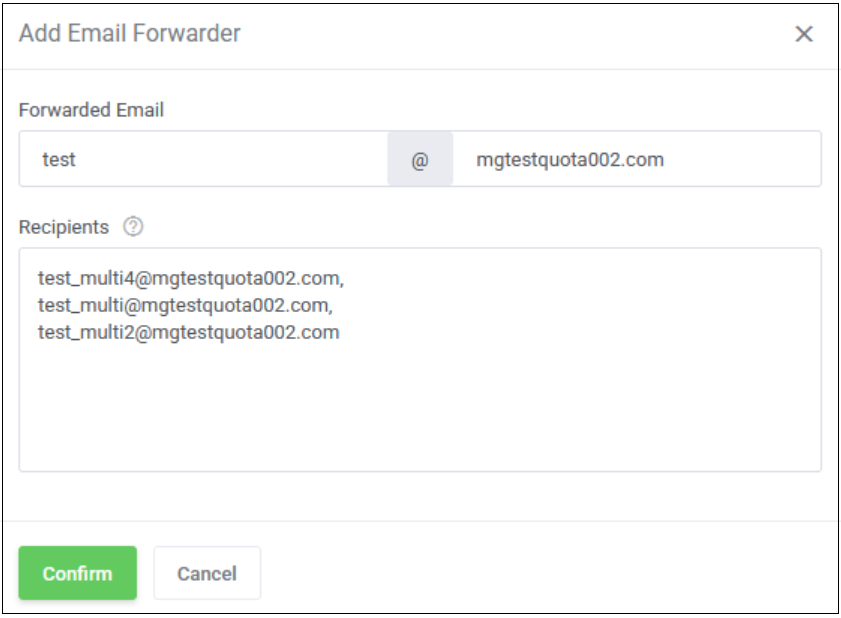
In addition, you can now edit the existing forwarder recipients using the new button.
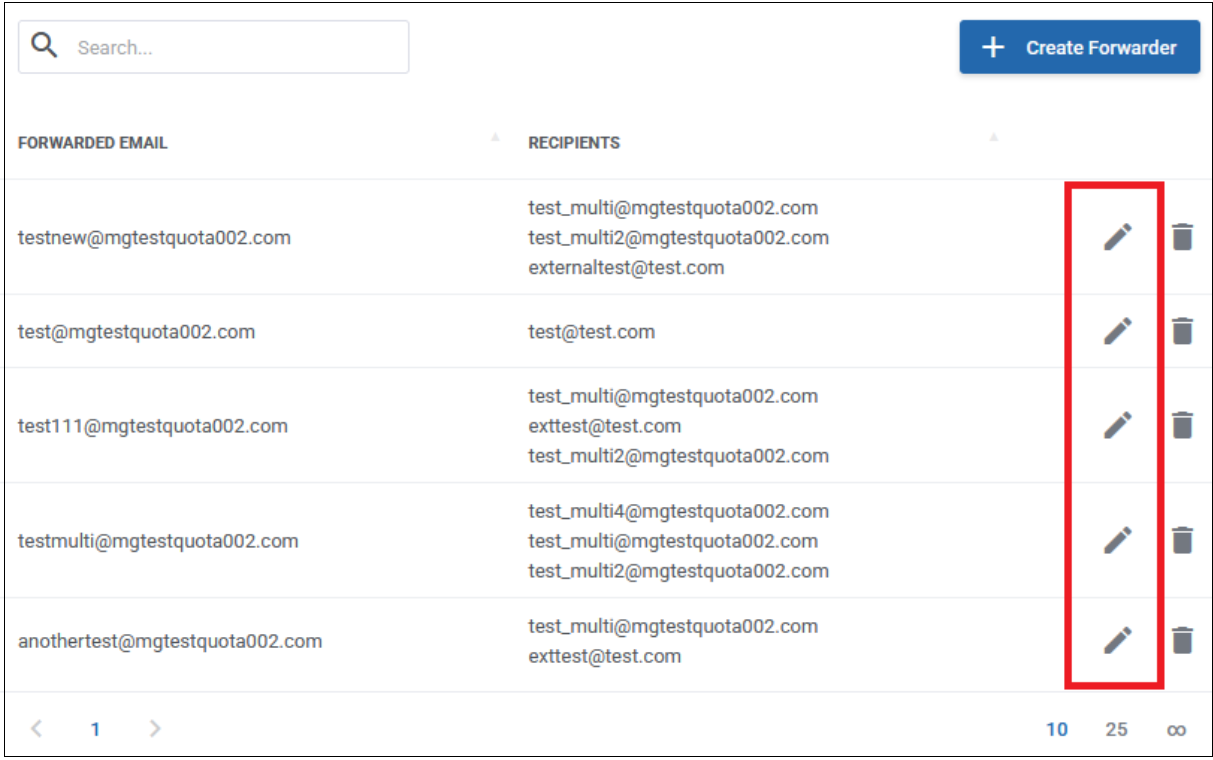
As soon as you confirm your newly edited recipients, the module deletes the existing forward and creates a new one with the new values. Please note as well that entries need to be comma-separated.
Important additional note: After clicking the "Confirm" button, 2 API calls are fired. The 1st deletes the whole existing forwarder, and the 2nd creates a new one for the new recipients. In case the recipient entry list is invalid (for example, not comma-separated), you'll lose the existing forwarder! It can be re-created afterward, but it's important to provide a valid entry here.
Please note: In edit mode, you can edit only the recipients, not the forwarder address itself. If you want another (additional) address, please create a new one and/or delete the old one.
V 1.0.44
DEPLOYED
As of this version, it's possible to set a so-called "Soft Delete" for mailboxes. That means that if a mailbox is deleted in the client area, you can set a number of days before the affected mailbox(es) are permanently deleted.
Please see the description below on how to set up and use it.
For "soft delete" to function, WHMCS's cron jobs must be configured properly, as the system uses them for the final deletion of a mailbox. To check whether cron jobs are set up, please look at the "Automation Status" in the top right of the Admin Area. Next, in the top left, you can see the cron status.
A correctly configured cron status in WHMCS should look similar to this, depending on your config:
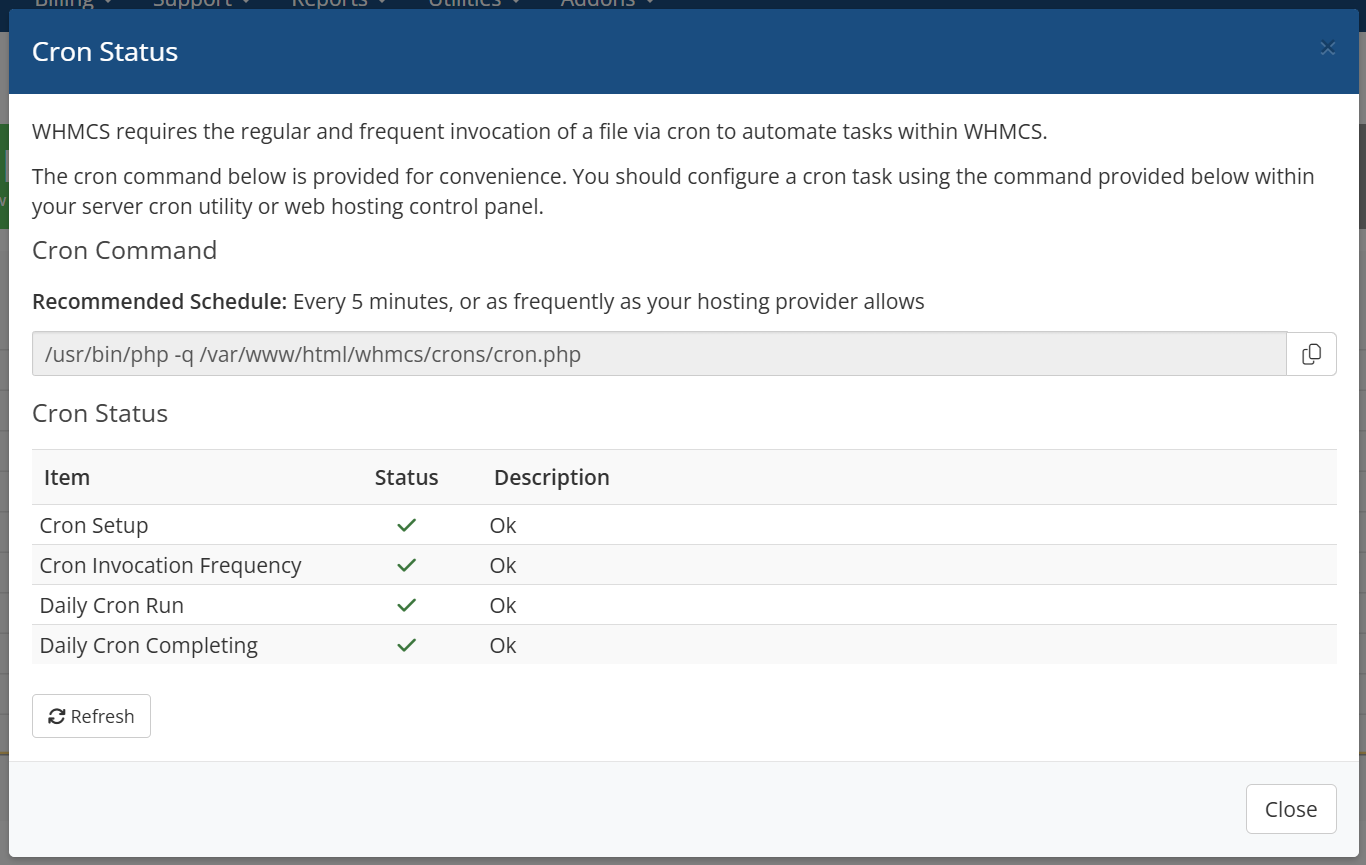
If you see any non-working cron item, please resolve the error before using this version. Otherwise, the final deletion of a mailbox won't work.
To set up your products to use this feature, please edit all your products and set the "Default Deletion in Days" field to a value that works as your default. The final value can later be adjusted by the mailbox admin in the Client Area.
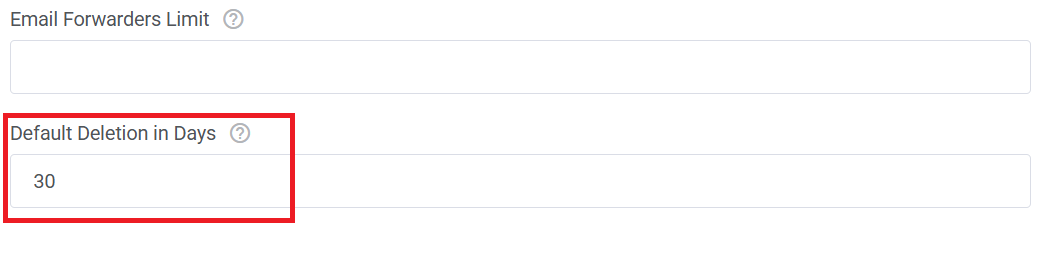
You need to save at least one of your products, even if you do not want to set up a default value for "Default Deletion in Days". Otherwise, the responsible database table does not get created!
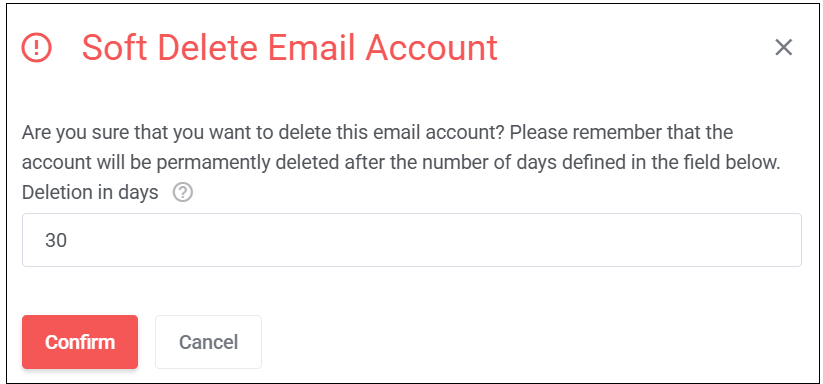
In the Client Area, you can now click the "Delete" button as usual. Now, a new pop-up window will appear to confirm the final deletion of a mailbox. The default value here is what you have set in the Admin Area before. If you don't set a default value, it's always "0" days. Important: "0" days means the mailbox gets deleted immediately.
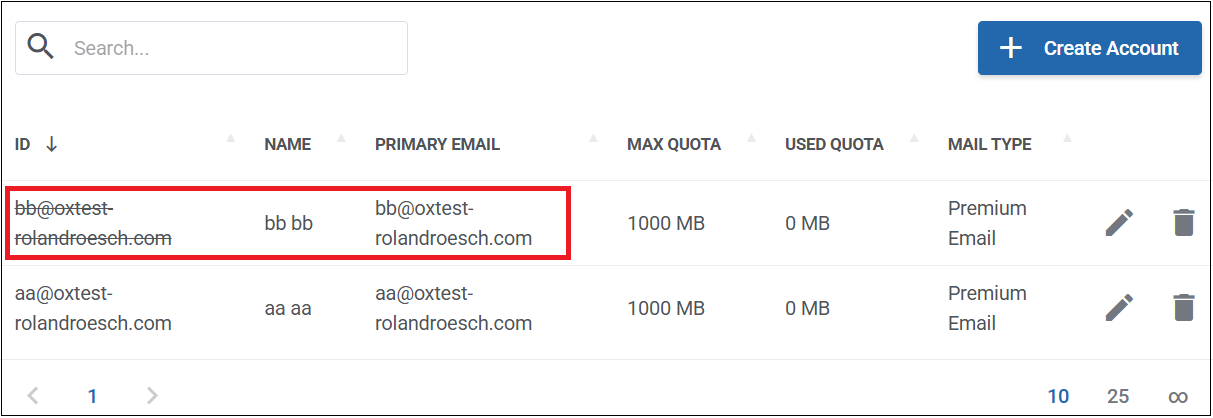
After confirmation, you'll see the affected mailbox in the list marked with a strikethrough, as in the example below.
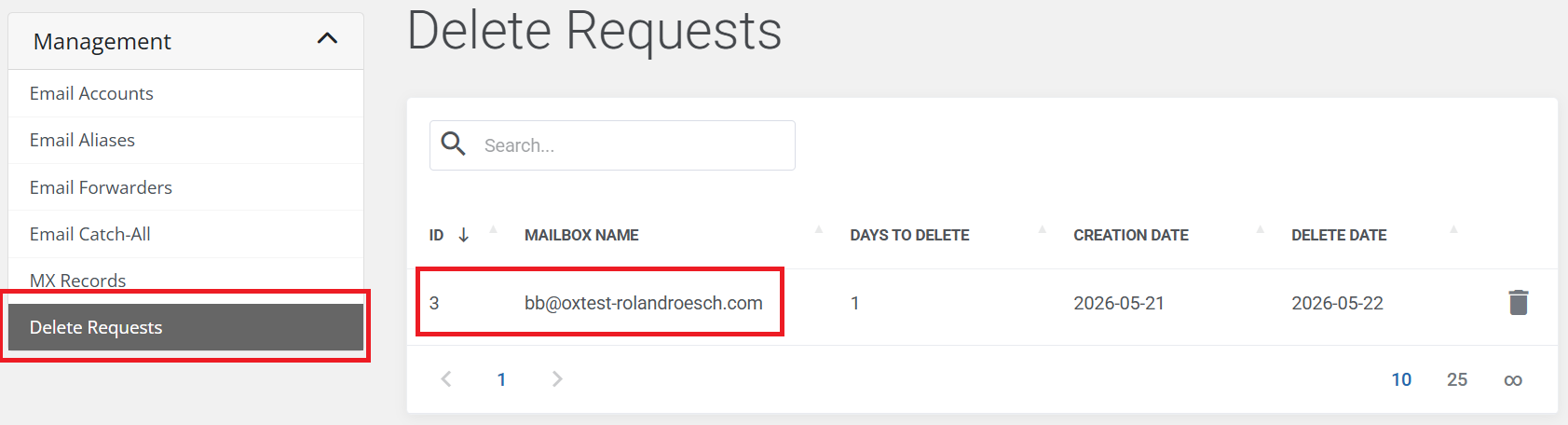
You'll also have a new entry on the left for the overview of all marked mailboxes for the final deletion.
Please note:
All mailboxes marked as "Soft Delete" have their permissions removed by an API call with the following body parameter:
{
  "send": false,
  "receive": false,
  "maillogin": false,
  "weblogin": false
}
The mailbox admin can also remove the "Soft Delete" again, but only if the mailbox has not been finally deleted. To do so, just click the "trash" icon in the overview below and confirm.
After that, the permissions are granted again.
Final note about the execution time of the mailbox delete via cron:
The cron job currently operates with day-level precision. For example, if a client creates a mailbox deletion request on 20.05.2026 and specifies that the mailbox should be permanently deleted after one day, the hook will delete the mailbox on 21.05.2026 immediately after the WHMCS daily cron job has finished running.
Therefore, it's very important to set up cron jobs as described above. The cronjob settings can be found in the Admin Area in "Settings" > "Automation Settings"
 }
}
V 1.0.43
DEPLOYED
The "Allow To Change Password" option is now included in the responsible API call when creating or changing a mailbox.
V 1.0.42
DEPLOYED
The calculation of the available pool quota was misleading. Older mailbox without unified quota were not included in the leftover calculation. This got fixed.
V 1.0.41
DEPLOYED
Some minor fixes.
- In the product settings, it was possible to set the number of aliases. The mouseover of the question mark displays up to 50 aliases; This is now strictly limited to 50.
- In the product setup, it's now possible to enable/disable the "Catch All" option in the client area by using a simple switch.
- In the client area, you can now find the "Pool quota setup in product definition, as well as the leftover possible amount of storage to use vs. the total storage.
V 1.0.40
DEPLOYED
It's no longer possible to create a context with the module if the context name, generated by the module, already exists in the WHMCS database.
The context name is now generated with the following PHP snippet:
$domain      = \WHMCS\Domains\Idna::toPunycode($this->params['domain']);
$contextName = $this->username . "_" . str_replace('=', '', base64_encode($domain));
After a checkout in the order process is done and the context already exists, an appropriate error message is thrown to the customer.
V 1.0.39
DEPLOYED
The context quota is fixed to 10240 MB (10GB). Please note that the context quota is used for PIM attachments, signatures, vcards, etc. More details can be found here. It's not the summary of each existing single mailbox.
The mailbox quota is set as a unified quota, valid for Mail and Drive.
With this version, you can now also set an unlimited value for allowed services in a product. The value "-1" is used for such an unlimited service.