Below you can find a history of recent module versions as well as the latest one. There is also a change log with information of the current version.
As of this version it's possible to set a so called "Soft Delete" for mailboxes. That means, in case a mailbox get deleted in the client area, you can set a value of days for the final delete of the affected mailbox(es).
Please see the description below, how to setup and use.
First of all it's huge important to setup WHMCS's cron jobs properly as the system use this to execute the final deletion of a mailbox. To check if cronjobs are setup, please have a look into the "Automation Status" top right in the Admin Area. Next, top left you can see the cron status. It should look similar to this, depending on your config:
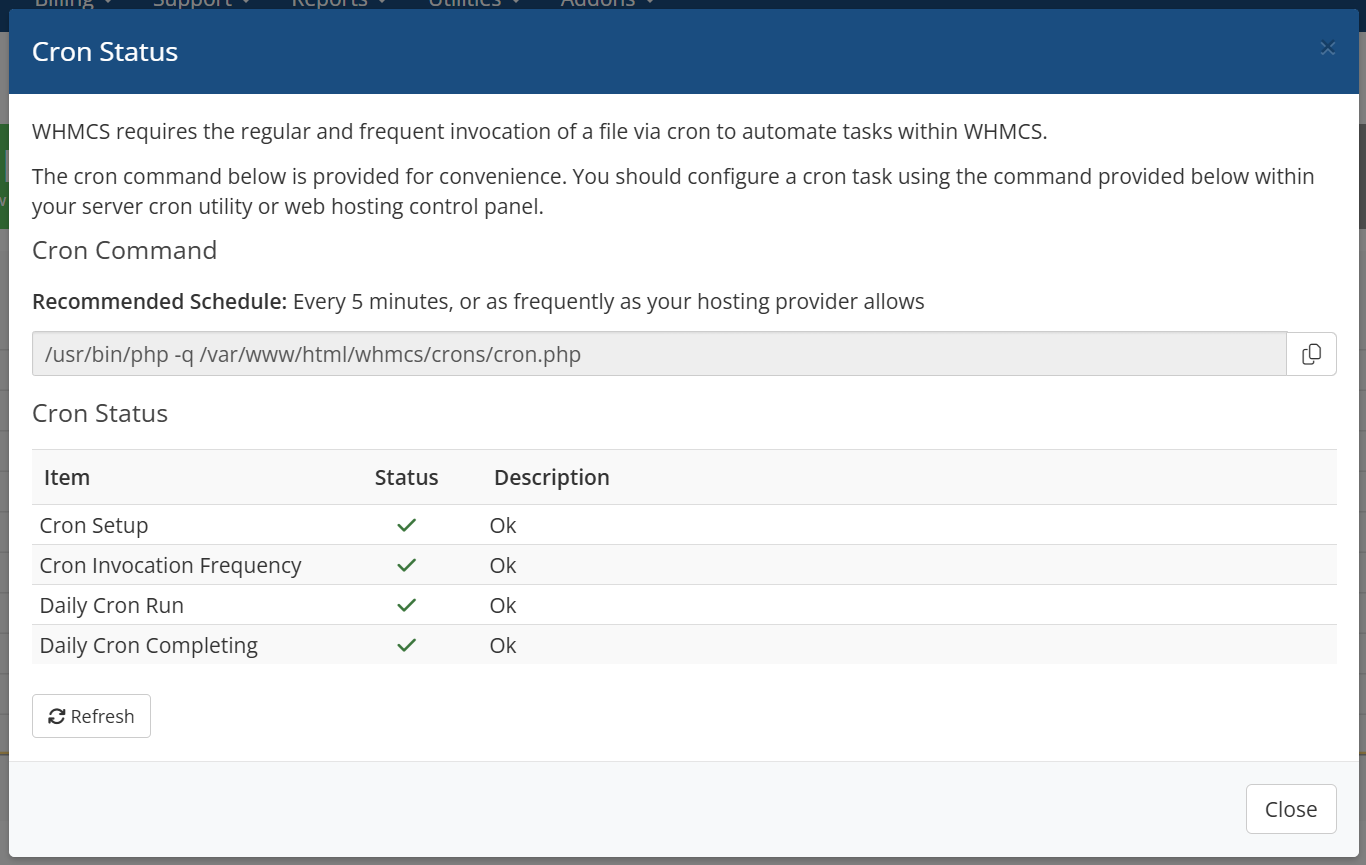
If you see any not working cron item, please take care to solve the error before using this version. Otherwise the final deletion of a mailbox won't work.
To setup your products to use this feature, please edit all your products and set the "Default Deletion in Days" field to a value that fits as default for you. The final value can later adjusted by the mailbox admin in the Client Area.
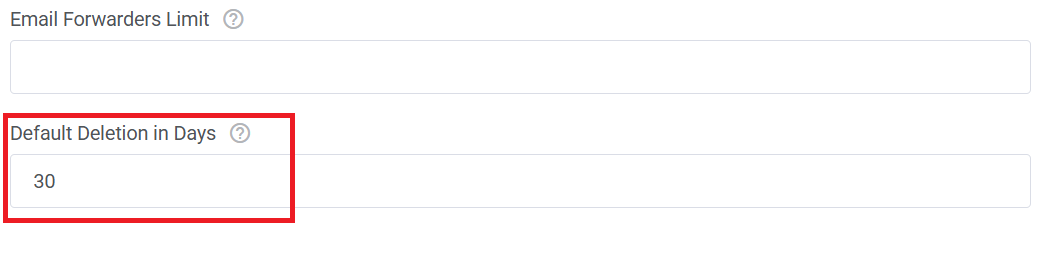
Please note (this is huge important):
You need to save at least one of your product, even you do not want to setup a default value for "Default Deletion in Days". Otherwise the responsible database table does not get created!
In the Client Area it's now possible to click on the "Delete" button as usual. Now there will be a new popup window to define the final delete of a mailbox. The default value here is what you have set in the Admin Area before.
If you have no default value set, it's always "0" days. Important: "0" days means, the mailbox get deleted immediately.
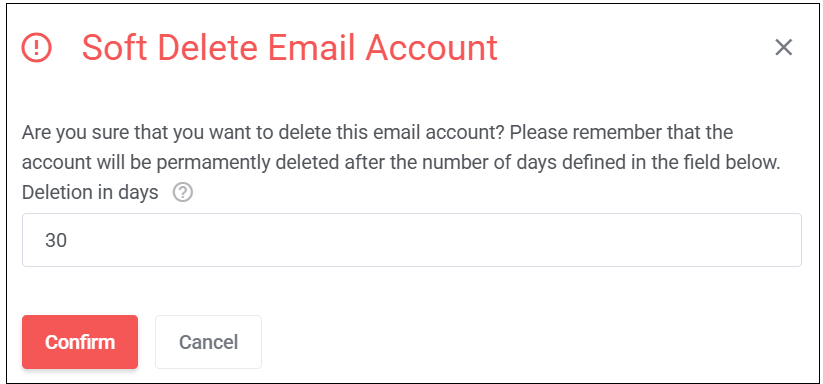
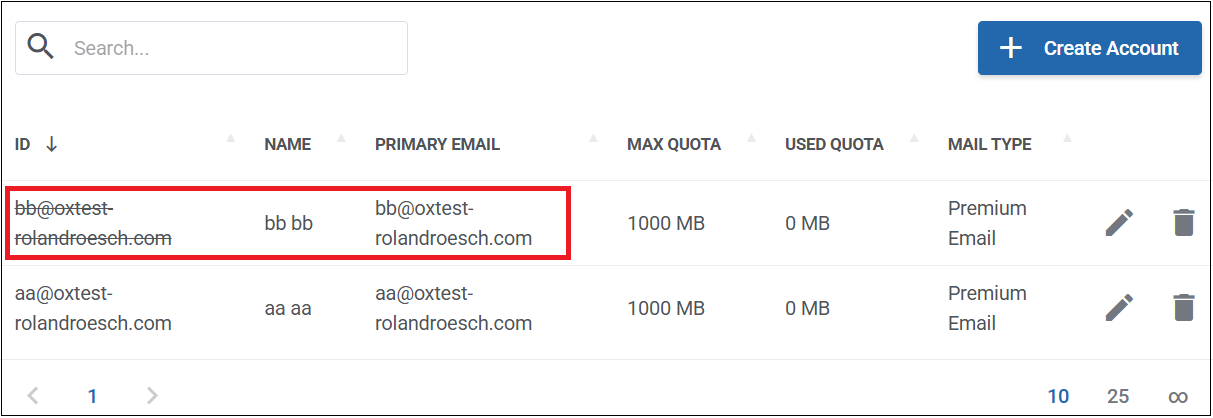
After confirmation you'll see the affected mailbox in the list marked as strikethrough as in the example below.
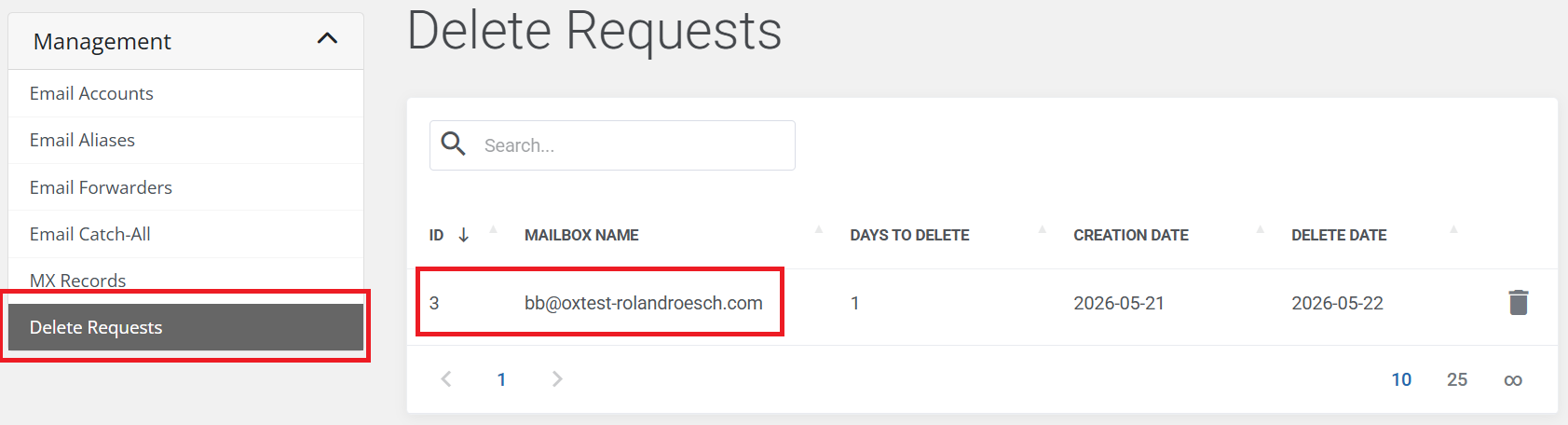
You'll also have a new entry on the left for the overview of all marked mailboxes for the final deletion.
Please note:
All mailboxes marked as "Soft Delete" get removed the permission by an API call with the following body parameter:
{
  "send": false,
  "receive": false,
  "maillogin": false,
  "weblogin": false
} |
The mailbox admin has also the option to remove the "Soft Delete" again, for sure only if the mailbox got not deleted finally. To do, just click the "trash" icon in the overview below and confirm.
After that, the permission are granted again.
Final note about the execution time of the mailbox delete via cron:
The cron job currently operates with day-level precision. For example, if a client creates a mailbox deletion request on 20.05.2026 and specifies that the mailbox should be permanently deleted after one day, the hook will delete the mailbox on 21.05.2026 immediately after the WHMCS daily cron job has finished running.
Therefore it's huge important to setup cronjobs as described above. The cronjob settings you can find in the Admin Area in "Settings" > "Automation Settings"
 }
}
The option "Allow To Change Password" when creating a product get now included within the responsible API call when creating or changing a mailbox.
The calculation of the available pool quota was misleading. Older mailbox without unified quota were not included in the leftover calculation. This got fixed.
Some minor fixes.
It's no longer possible to create a context with the module if the context name, generated by the module, is already existing in the WHMCS database.
The context name get generated now with the following PHP snippet:
$domain      = \WHMCS\Domains\Idna::toPunycode($this->params['domain']);
$contextName = $this->username . "_" . str_replace('=', '', base64_encode($domain));
After a checkout in the order process is done and the context already exist, an appropriate error message is thrown to the customer.
The context quota get set fixed to 10240 MB (10GB). Please note that the context quota is used for PIM attachments, signatures, vcards, etc. More details can be found here. It's not the summary of each existing single mailbox.
The mailbox quota is set as unified quota, valid for Mail and Drive.
With this version you can now also set an unlimited value for allowed services in a product. The value "-1" is used for such an unlimited service.